 SubClock
YOUTH SPORTS SUBSTITUTION TIMER
Fair minutes.
Zero math.
SubClock runs substitutions for youth sports. Pick who's on, set the shift, and it counts down to the next swap — so every kid gets their minutes and you can actually watch the game.
Free to use. One-time upgrade for unlimited teams, photos and no ads.
HOW IT WORKS
Set it once. Coach the whole game.
Fair by design
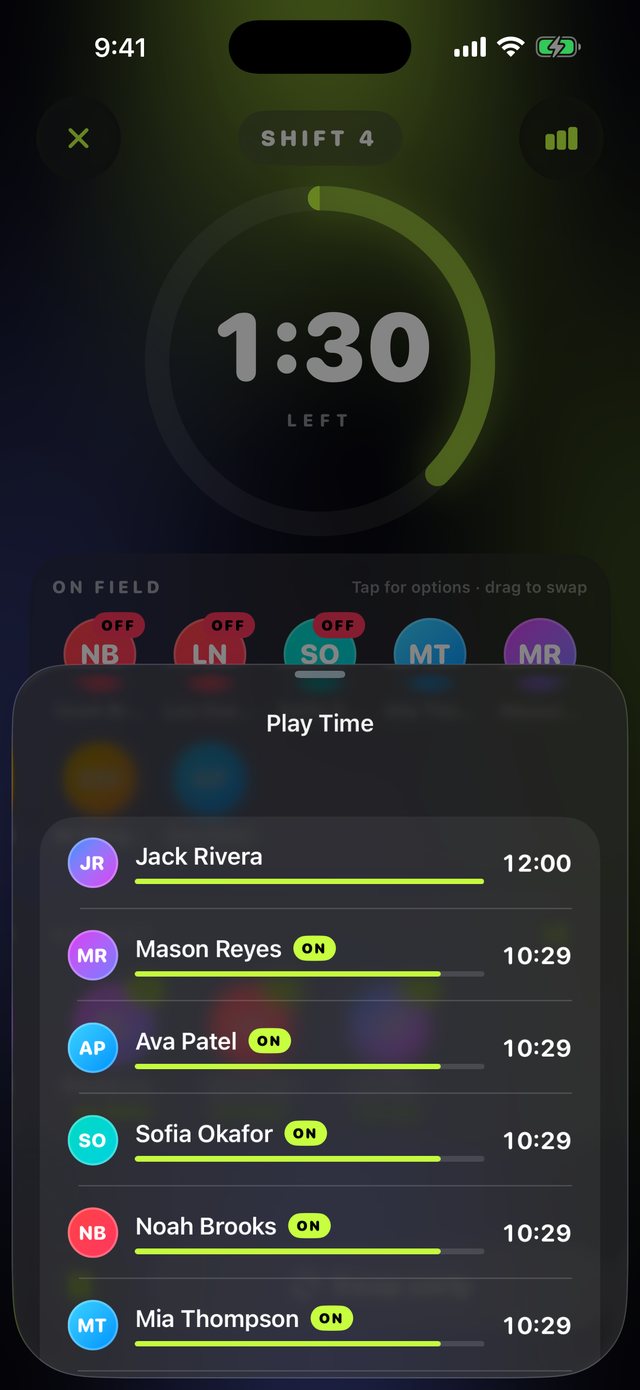
A random first group, then the kids with the fewest minutes go in next. Nobody sits twice in a row.
A clock kids can read
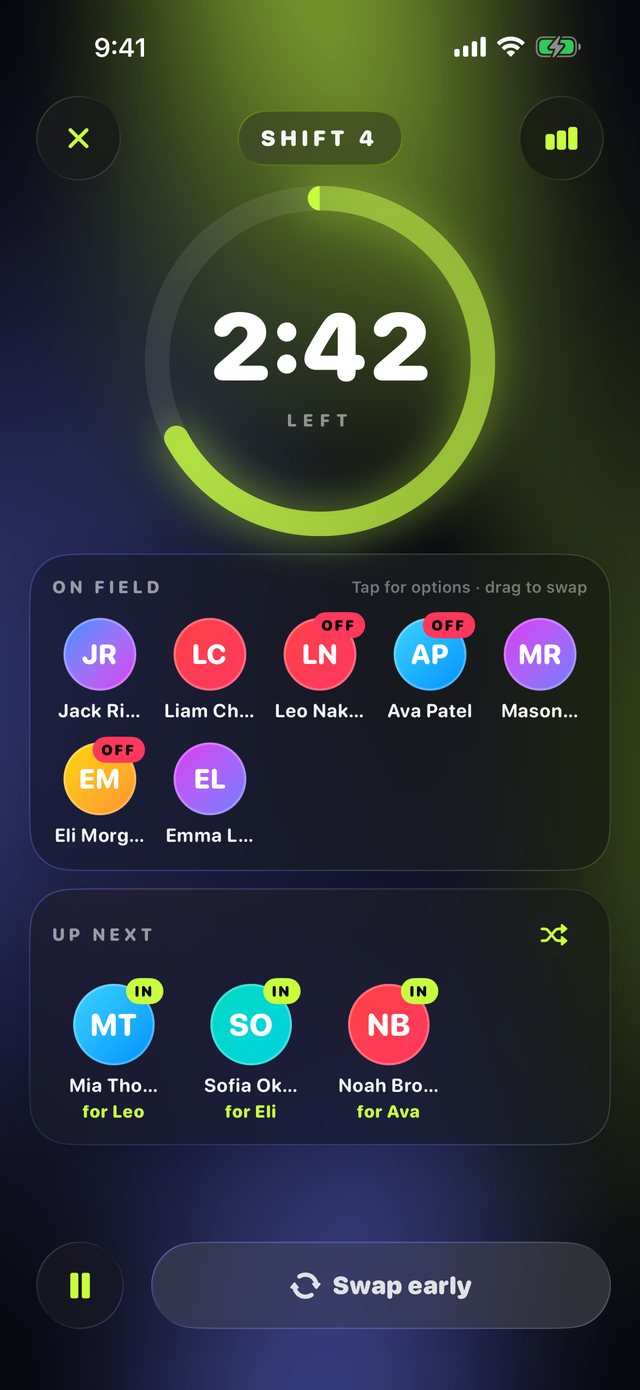
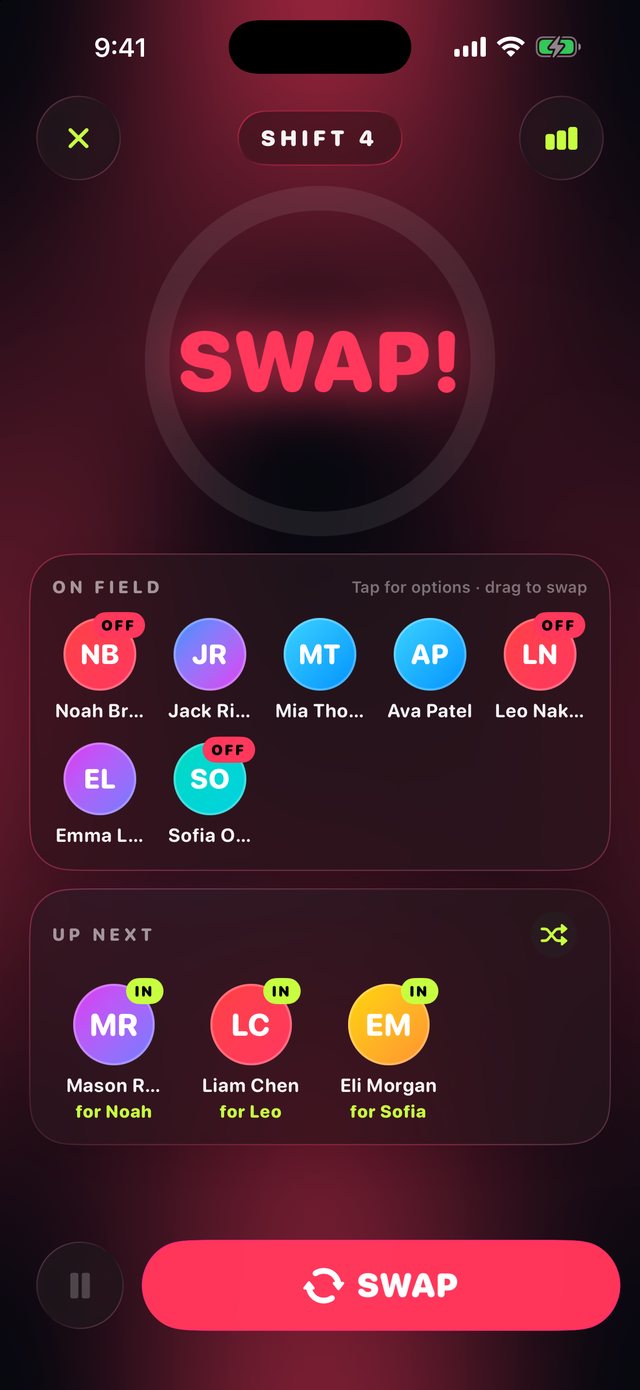
A huge countdown ring turns amber, then red, then flashes SWAP. Readable from the bench.
Who's going in for who
Every kid going in sees who they're replacing ("for Liam"), so they know exactly whose name to call.OFFIN
Drag to swap
Someone tired? Drag them off and drag a bench kid on. The swap is instant, and minutes stay fair.
Your lineup, your call
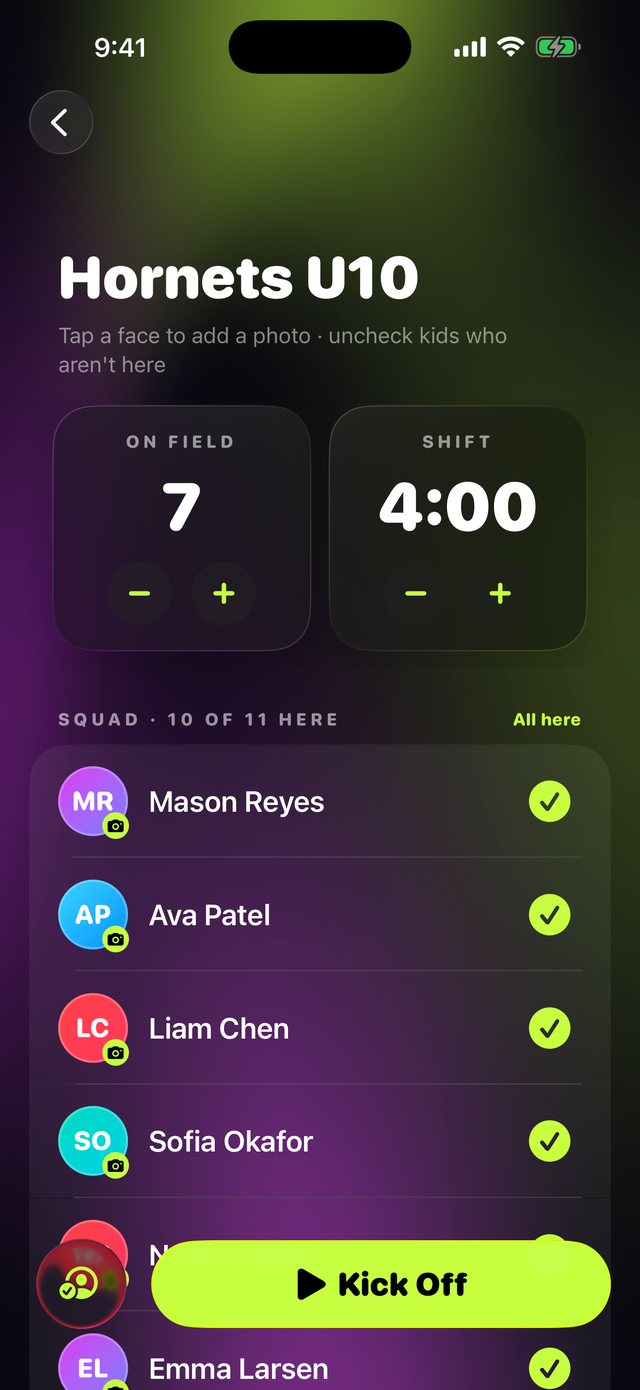
Uncheck kids who didn't make it, pick your starters, or let SubClock choose. Then just kick off.
Lock Screen & Apple Watch
The countdown and who's going in live on your Lock Screen and watch. Pause the clock right from either.

ON THE BENCH
Prop up an iPad. Kids watch the clock.
On iPad, everything gets bigger: a huge countdown and big faces, so kids can see from down the bench when they're going in, without asking.
SUBCLOCK PRO
Coach every team you've got.
- Unlimited teams
- Player photos
- No ads
One-time purchase. No subscription. Works for soccer, basketball, hockey, lacrosse, flag football and any sport with rolling subs.
EVERY SPORT WITH ROLLING SUBS
One app for every team you coach.
Set how many kids are on the field and how long each shift lasts. SubClock handles the rest.
QUESTIONS
Coaches ask
Is SubClock free?
Yes. SubClock is free with one team and small ads on the setup screens (never during a game). A one-time SubClock Pro upgrade removes ads and adds unlimited teams and player photos. There's no subscription.
How does SubClock keep playing time fair?
The first group on the field is random. After that, the kids with the fewest minutes go in next, and bench kids win ties so nobody sits twice in a row. Minutes count only the time each kid is actually on the field, even if you sub someone mid-shift.
Which sports does it work for?
Any sport with rolling substitutions: soccer, futsal, basketball, hockey, lacrosse, flag football, volleyball, rugby and more. You choose how many players are on the field and how long each shift lasts.
Can I still choose who plays?
Yes. Pick your starters, drag a tired kid off and someone else on, or tap any kid to keep them on or put them in next. SubClock rebalances everyone else fairly.
Does it work on iPad and Apple Watch?
SubClock runs on iPhone and iPad. On iPad everything gets bigger, so you can prop it up on the bench as a display. The countdown also shows on your Lock Screen, in the Dynamic Island and on Apple Watch, where you can pause the clock.
Is SubClock on Android?
Yes. SubClock is on Google Play for Android phones and tablets running Android 9 or later. The countdown also shows in an ongoing notification with a pause button, which Wear OS watches mirror.
Do I need an account or an internet connection?
No account and no sign-up. Your teams, players and photos stay on your device.